Urban Turtle's features

Urban Turtle offers a lot of very useful features to turn your TFS Agile. Really. We mean, really.

Make it easier to
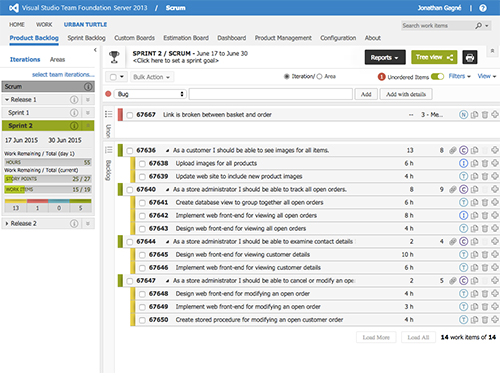
prioritize your backlog

  • Prioritization of your backlog using a drag-and-drop interface
    Prioritize your backlog
  • The filtering function gives a clearer view of backlog maintenance, sprint planning and sprint review
    Filtering function
  • View Sprint Details at a glance
    View Sprint Details at a glance
  • Quickly approve new product backlog items
    Quickly approve new product backlog items
  • Move unwanted work items to the recycle bin
    Move unwanted work items to the recycle bin
  • Output work items in an index card format to a PDF file, ready for printing
    Output work items in an index card format to a PDF file, ready for printing
  • Change the priority of a user story, and related tasks will automatically follow

Discover the efficient way to
plan your work

  • Easily add tasks to a user story
    Easily add tasks to a user story
  • Consult live iteration statistics for an adequate balance of work assignment
    Consult live iteration statistics for an adequate balance of work assignment
  • Quickly commit to delivering the contents of a sprint
    Quickly commit to delivering the contents of a sprint
  • Filter iterations and areas by displaying only the ones that you actually want to see
    Filter iterations and areas by displaying only the ones that you actually want to see
  • Plan your work with a simple drag-and-drop
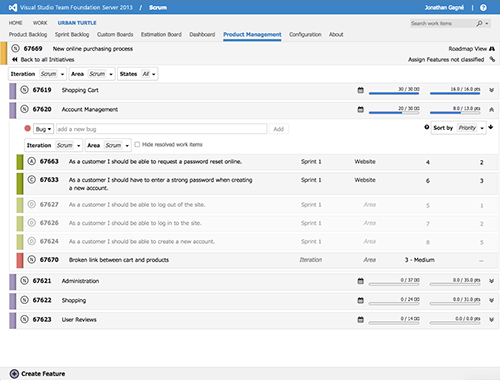
  • Plan a release with roll-up statistics
  • Have a hierarchical view of the work planned

Focus on
delivering software

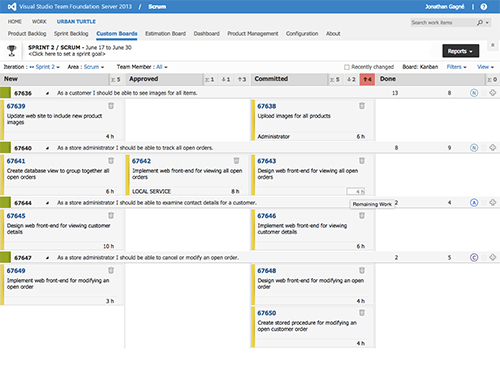
  • The task board allows to view completed, ongoing, and remaining work at a glance
    View completed, ongoing and remaining work
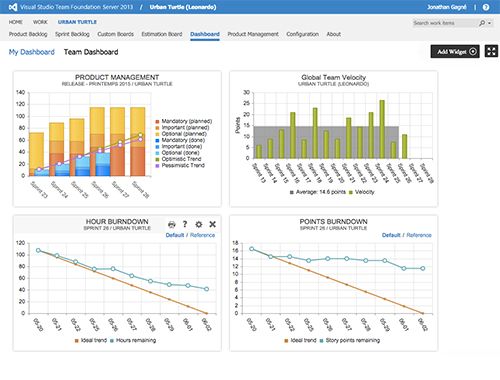
  • The sprint burndown chart with live data allows to ensure delivery of committed work
    Burndown Chart
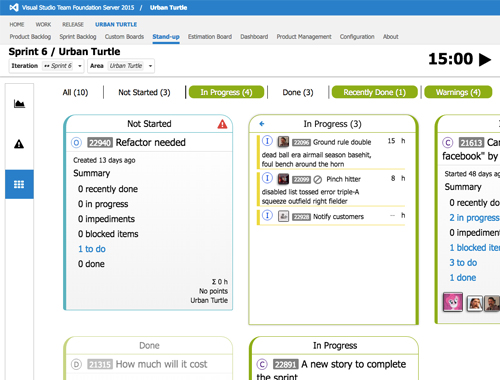
  • Easily eliminate visible impediments from the planning board
    Easily eliminate visible impediments
  • Use in-place editing to quickly update the work remaining and effort on tasks and product backlog items
    Use in-place editing to quickly update the work remaining and effort on tasks and product backlog items
  • Plan a release with roll-up statistics
  • Have a hierarchical view of the work planned